Lean Windows client for BitTorrent queues you can steer
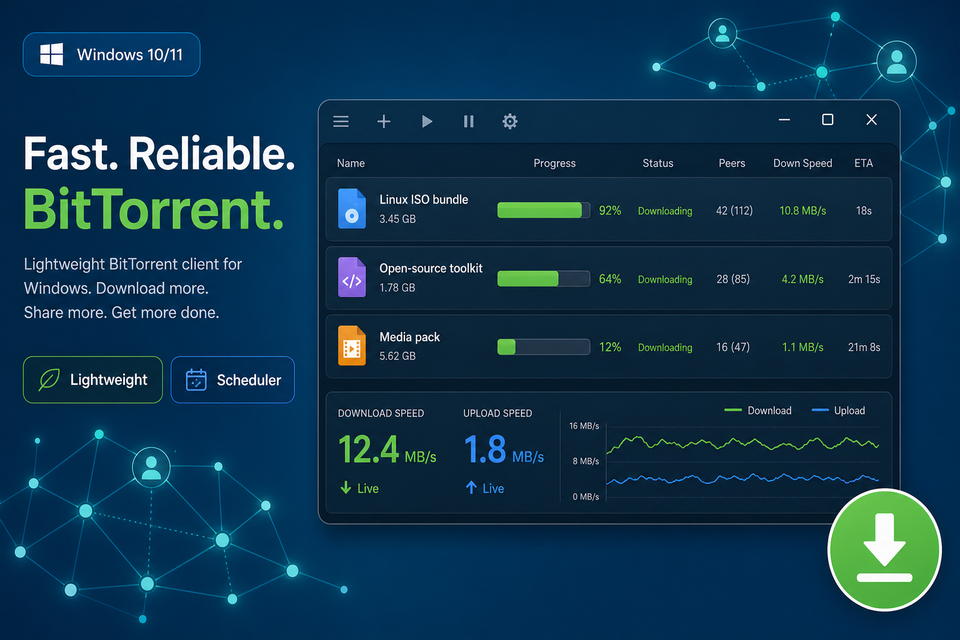
Download uTorrent and run a nimble desktop app built around clear controls, low overhead, and predictable transfers.
- Small installer
- Queue & RSS control
- No account required
What uTorrent adds to your workflow
Practical controls for Windows users who want visibility into each job without a bulky interface.

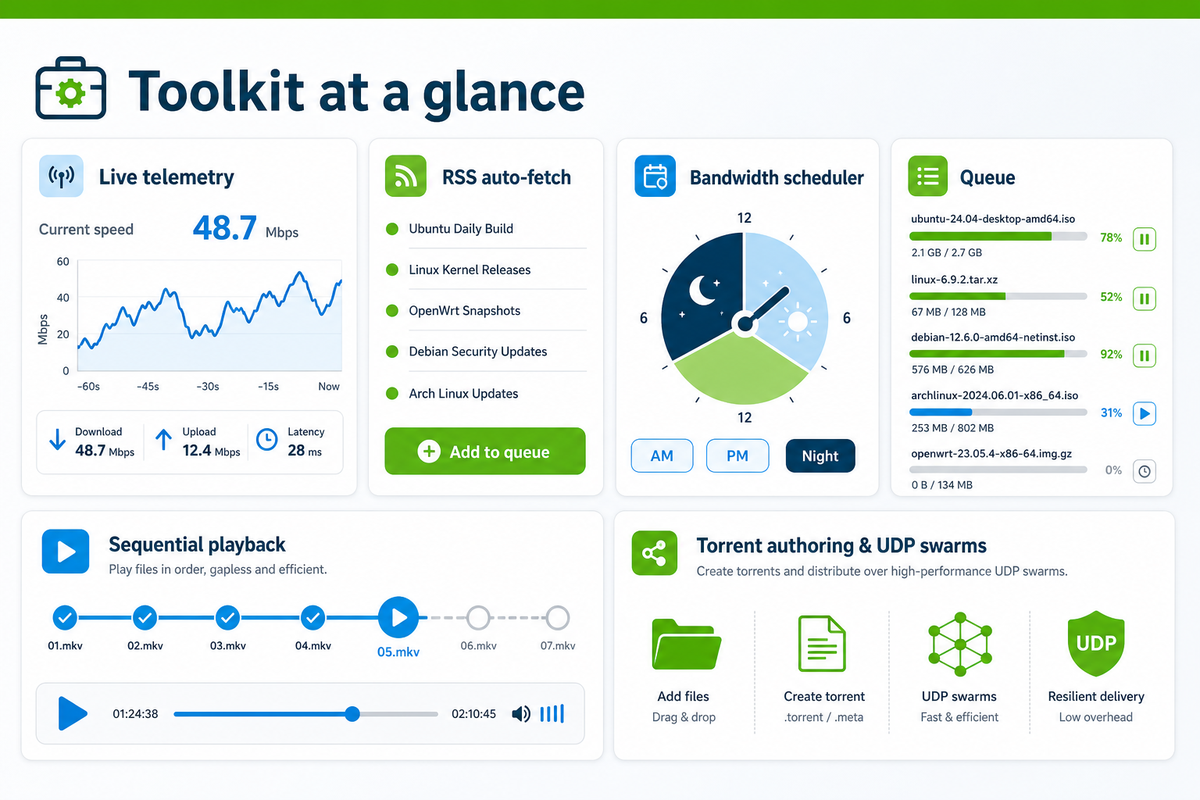
Live transfer telemetry
See throughput, ETA, and per-file progress so you always know which job is consuming bandwidth.
Automated feed handling
Point uTorrent at RSS-style sources and let new payloads appear in the queue instead of checking manually.
Power-saving shutdown
Optional rules can power down the machine once the active list clears—handy for overnight runs.
Timed bandwidth rules
Shape speeds by clock so daytime browsing stays responsive while heavy pulls wait for quieter hours.
Sequential playback support
Start watching compatible media sooner while pieces continue arriving—ideal for large archives.
Simple torrent authoring
Bundle folders or single files, tweak trackers, and publish a swarm-friendly package in a few gestures.
Modern tracker compatibility
UDP-oriented tracker chatter helps peers find each other faster when the network allows it.
Download uTorrent for Windows
Grab the current Windows build here—no accounts, no paywall, just the installer you expect.
- Windows 10 & 11 compatible
- One-click installer
- Free to download
Build refreshes regularly · gratis download
Installing means you agree to the posted Terms of Use and Privacy Policy for this site.
Pick a language, keep the same client
uTorrent ships in dozens of locales—tap a tile to mirror the wording used in your region’s installer.
First session with uTorrent
Follow this short path from installer to first completed job—most people finish in under five minutes.
1 · Run the Windows installer
Download the package from this page, launch it, and accept the defaults unless your IT policy says otherwise.
2 · Hand off a magnet or .torrent
Use your browser’s magnet prompt or double-click a small torrent file—uTorrent registers itself during setup.
3 · Steer the queue
Reorder priorities, pause noisy jobs, or pin a finish folder so finished payloads land where you expect.
4 · Package something to share
Choose Create Torrent, drop in files, add announce URLs, and publish once hashing completes.
5 · Tune optional preferences
Open Options → Preferences to remap ports, cap upload, or relocate the default download root.
Coax more speed from uTorrent
Most stalls come from routing or swarm health, not the client—try these adjustments before chasing exotic tweaks.
-
Prioritize the job that matters
Boost its allocation from the context menu so competing rows do not starve the one you need tonight.
-
Refresh peer discovery
Paste reputable announce lines inside the metadata editor when a swarm looks thin on seeds.
-
Let the router help with NAT
Enable automatic port mapping so inbound peers can handshake without manual forwarding tables.
-
Favor a cable uplink
Ethernet beats flaky Wi-Fi for sustained bidirectional traffic during big archives.
-
Shrink the active roster
Pause extras so a handful of transfers saturates your plan instead of dozens nibbling at once.
-
Read the swarm health first
Prefer well-seeded magnets; sparse swarms will crawl no matter how aggressive the client is.
-
Quiet competing apps
Close cloud sync or streaming tabs that silently reserve upstream buffers uTorrent could use.
Windows firewall helper snippet
Systems staff sometimes pre-approve the executable—run elevated PowerShell or CMD only when your policy allows.
Inbound allow rule (example)
Adjust the path if your deployment stores uTorrent outside Program Files.
netsh advfirewall firewall add rule name="uTorrent" dir=in action=allow program="%ProgramFiles%\uTorrent\uTorrent.exe" enable=yesHelp snapshots
Plain-language notes about uTorrent behavior—nothing here replaces counsel from your network administrator.
1 · Why do people mention “seeding”?
Seeding is the polite opposite of hit-and-run: uTorrent keeps sharing pieces after your payload completes so the swarm stays alive.
2 · Can I stop uploading for one job?
Yes—use per-torrent bandwidth controls to cap or zero out upload slots once you have met whatever ratio rule you follow.
3 · Is there a browser-first edition?
µTorrent Web targets people who prefer tabs over a pinned desktop icon; feature depth differs from the classic Windows build.
4 · What does DHT do for me?
Distributed hash tables help peers discover each other when trackers lag; uTorrent participates in the mainline DHT network by default.
5 · Any official uTorrent build for phones?
Android has a companion release listed alongside other mobile BitTorrent managers—grab it only from trusted storefront listings.
6 · Should newcomers still pick uTorrent?
If you want a compact Windows queue with scheduling, feeds, and scripting hooks, uTorrent remains a sensible baseline—just vet every magnet you add.
7 · Speed still feels slow—now what?
Re-check swarm counts, router mapping, and whether anything else is saturating uplink; the tips above cover most real-world bottlenecks.
8 · Does uTorrent work without internet?
You need connectivity while exchanging pieces; finished files behave like any other offline media afterward.
9 · How do I reduce risk?
Pair common sense with encrypted transport options where appropriate, and avoid anonymous bundles that bundle unrelated executables.
Voices from the queue
Short notes from people who keep uTorrent pinned for everyday transfers.
“uTorrent stays tiny on disk yet still exposes every knob I need for overnight ISO pulls.”
“RSS rules mean Linux mirrors land in my folder before coffee; the UI never gets in the way.”
“I teach labs with capped bandwidth—students see how uTorrent respects those ceilings immediately.”
“Magnet handoff from Chromium is instant; no more hunting for helper apps after reinstalls.”
“Sequential mode saved a documentary project where editors needed proxies while seeds trickled in.”
“uTorrent stays tiny on disk yet still exposes every knob I need for overnight ISO pulls.”
“RSS rules mean Linux mirrors land in my folder before coffee; the UI never gets in the way.”
“I teach labs with capped bandwidth—students see how uTorrent respects those ceilings immediately.”
“Magnet handoff from Chromium is instant; no more hunting for helper apps after reinstalls.”
“Sequential mode saved a documentary project where editors needed proxies while seeds trickled in.”
Editorial note
Riley Connors
Systems writer · Windows fleet tooling
Riley documents desktop utilities for IT shops that still ship classic BitTorrent workflows alongside modern sync tools.